A small change can affect an established number
A Qlik Cloud release might add a customer field, change a join or adjust part of the load script. The requested change works, but an existing revenue calculation now returns a different number. Its expression may not have changed at all: the data behind it has.
Testing the new feature answers one question: does the change work? Regression testing answers another: do the calculations we already rely on still behave as expected?
DevFulfilled helps with that second question. It compares selected unchanged master measures in your Test and Production applications, using shared dimension values to check the numbers in more detail. Your testers can concentrate on new requirements, changed calculations and business scenarios while the repeated comparisons run.
How long does manual regression testing take?
Each manual check involves opening the right applications, applying equivalent selections, finding both values, comparing them and recording the outcome. Repeating that routine across measures and categories quickly becomes a substantial part of release testing.
Ten measures checked against five Region values means 50 comparisons. If each comparison takes two minutes to select, compare and record, that is 100 minutes for one dimension. Checking the same measures against five Month values adds another 100 minutes. This is an illustrative estimate, not a measured benchmark; your own checking time will vary.
A rerun after a fix means repeating that work. Automated comparisons reduce the time spent collecting and checking values. Differences still need a tester's judgement, but the tester can start with the evidence rather than recreate it by hand.
Keep a consistent set of checks for each release
Manual testing can depend on who is available and which numbers they remember to check. A saved selection makes the coverage explicit: which measures, which dimensions and how many values will be compared.
Choose the master items that matter to your application and use them as a repeatable checking routine across releases. DevFulfilled stores the selection with its release. Once the test starts, those items are fixed for that release, and you can rerun the same test as often as needed.
That consistency makes it easier to explain what was tested and to revisit the results later. It also gives teams a practical reason to agree their checks before running them, rather than changing the selection until a favourable result appears.
How Qlik Cloud regression testing works in DevFulfilled
DevFulfilled uses committed application metadata to identify suitable checks, then queries the live Qlik applications to compare their values.
- Export and commit your Test metadata. Save the latest dashboard definitions to the configured Test branch in GitHub.
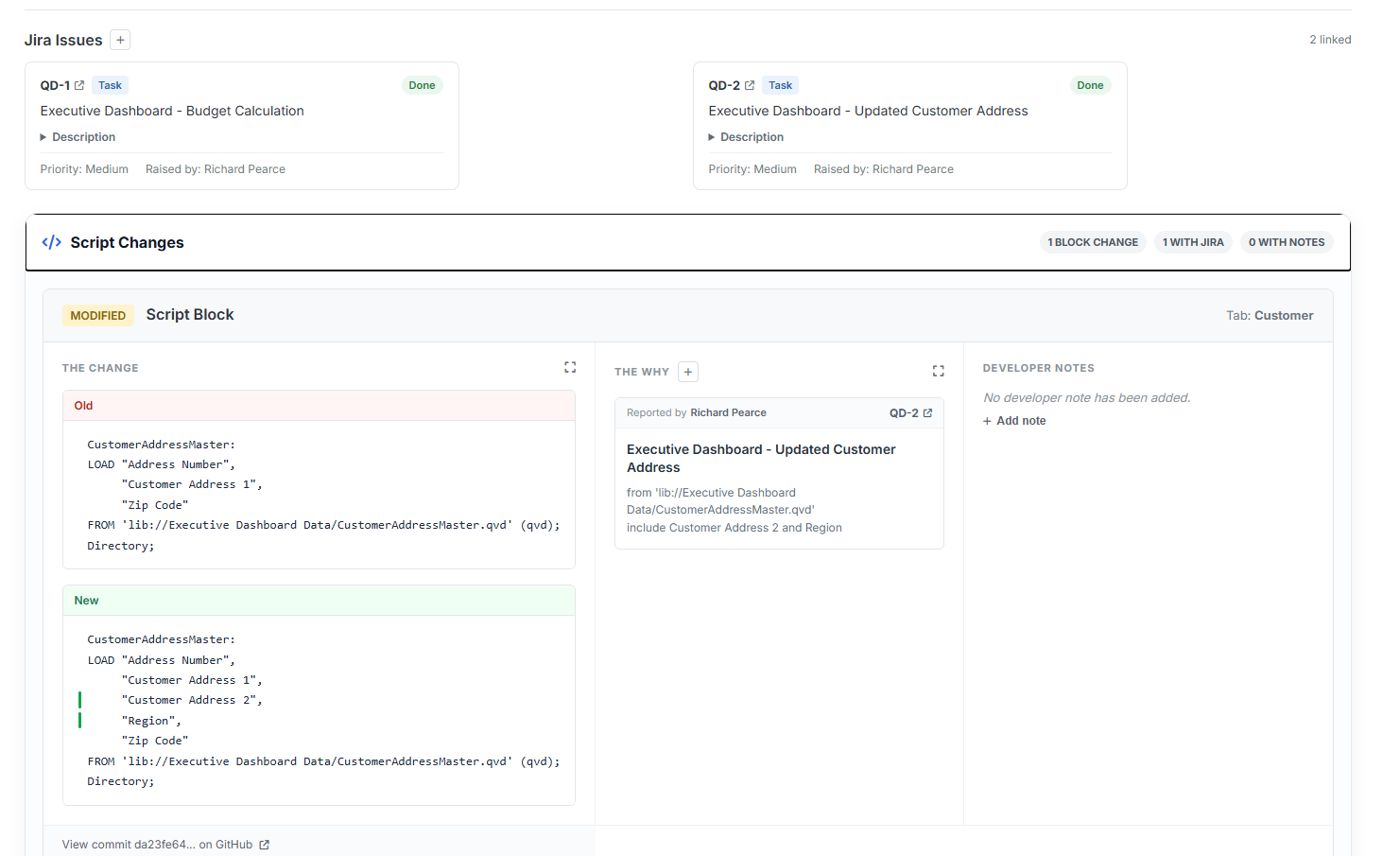
- Run Change Review. Compare Test with the configured Production branch, often called Main. This establishes the measures and dimensions available for the release.
- Choose your master items. Select unchanged master measures shared by both applications and shared master dimensions. Set how many common values to compare per dimension, within your plan's allowance.
- Lock in and run. Confirm the selection. DevFulfilled retrieves dimension values and evaluates the selected measures in both Qlik applications.
- Review and repeat. Inspect the returned values and pass/fail results. After making corrections, rerun the saved selection as often as needed.
The branch names are configurable. GitHub provides the versioned definitions; the numeric test results come from Qlik Cloud. Matching Test and Main metadata does not prevent a test, because the live applications can still contain different data.
The current test needs at least one unchanged master measure and one shared master dimension in both applications. Production also needs an existing metadata baseline. For a first release without that baseline, complete manual testing and establish Production metadata after deployment.
Check measures by Region, Month or Customer
A matching overall total can hide differences underneath it. For example, Test and Production could both show £100,000 in revenue, while one Region is £5,000 higher and another is £5,000 lower. The total matches, but the breakdown does not.
Master dimensions let DevFulfilled compare a measure at those different levels. Choose Revenue and Region, and the test compares Revenue for sampled Region values present in both applications. Add Month or Customer as another dimension to check the same measure from another perspective.
Each selected dimension is checked separately. These are comparisons by Region, by Month or by Customer, rather than every possible Region-and-Month combination.
The results also show the number of distinct dimension values in Test and Production, how many are shared and how many occur only in one application. This can highlight a missing customer or category even when the sampled measure values match.
Keep the evidence with the release
A message saying “testing completed” leaves important questions unanswered. Which numbers were checked? Which dimension values were used? What did Test and Production return?
DevFulfilled retains the results with the release, including:
- The selected master measures and dimensions.
- The dimension values used for the comparisons.
- The values returned by Test and Production and their differences.
- Pass, fail and error outcomes.
- Distinct dimension counts and differences between the applications.
- The latest test's timing and duration.
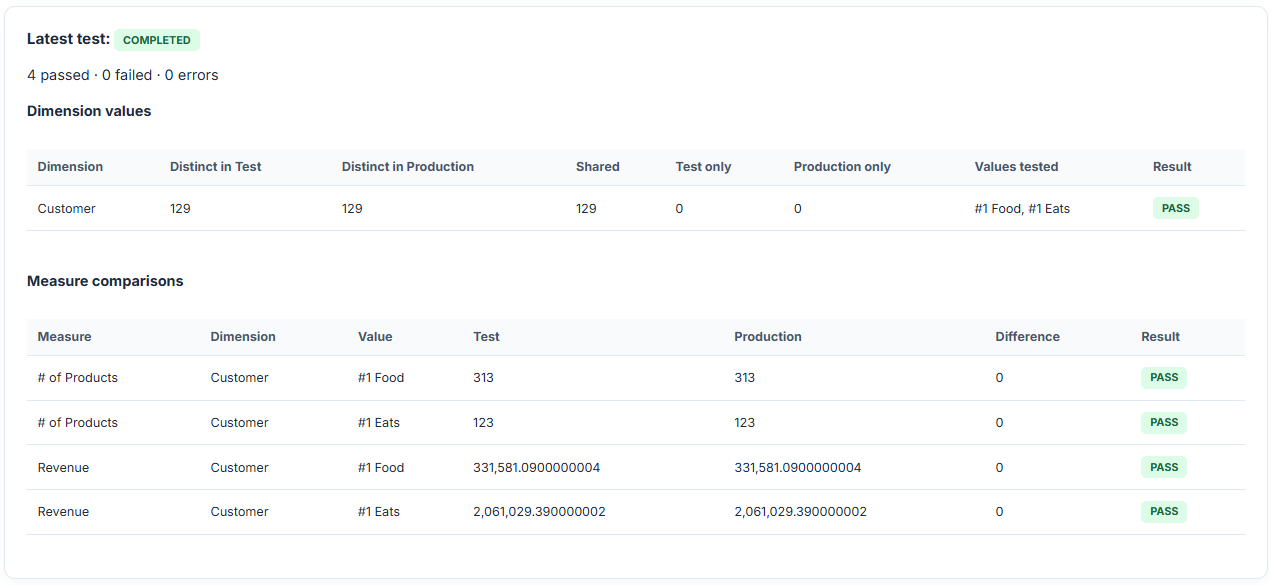
Return to an earlier release to review its saved results. The release Overview provides a quick summary, with a link to the detailed results, alongside Change Review, Peer Review and Approvals.
This gives developers, testers and reviewers a shared record of what was checked, rather than relying on screenshots, a spreadsheet or somebody remembering the testing session.
Make the checks meaningful
Start with established measures that users depend on: revenue, margin, order count or another important business metric. Choose dimensions that reveal useful differences and keep the Test and Production data and reload timing in mind when interpreting the results.
A difference may indicate a regression, but it may also reflect an intentional data update. Investigate the cause. Equally, “All Pass” means the selected checks matched; it is not a guarantee that every calculation or every value in the dashboard is correct.
Use Change Review to understand the actual changes, Peer Review to examine application quality, and your testers to verify new requirements. Regression testing adds repeatable evidence for the selected calculations that should remain consistent.
Frequently asked questions
What is regression testing in Qlik Cloud?
Regression testing checks whether existing calculations still return the expected values after an application changes. DevFulfilled compares selected unchanged master measures in the live Test and Production applications across shared master dimension values.
Does this replace testing the new changes?
No. New and changed calculations still need testing against their business requirements. Regression testing gives testers more time for that work by checking the selected calculations that should have stayed the same.
Can I rerun the test?
Yes. You can rerun the same saved selection as often as needed. Once a test has started, its measures and dimensions are fixed for that release. Plan limits apply to the number of selected items and values per dimension.
What if Test and Main have identical metadata?
You can still run the test. Matching exported definitions do not mean that the two live Qlik applications have identical data. Their numbers and dimension values can still differ.
Do I need master measures and master dimensions?
Yes. The current test needs at least one unchanged master measure and one shared master dimension in Test and Production. It also needs an existing Production metadata baseline and an up-to-date Change Review.
Are the results saved?
Yes. The release retains its test selections and results so you can return to the release and see the values compared, the outcome and the dimension checks.
Does a pass prove the whole dashboard is correct?
A pass means the selected comparisons matched. It does not cover every expression, every dimension value, visual behaviour or business requirement. Choose meaningful checks and investigate differences in the context of the data and reloads.