Introduction
Building a Qlik Sense application is only one part of delivering a successful analytics solution. Once development is complete, the application still needs to be reviewed, tested, approved and moved safely through the appropriate environments.
In smaller teams, this process may begin informally. A developer finishes a change, sends a message to a colleague and arranges for the application to be moved into production. As the team, user base and application estate grow, that informal approach becomes harder to manage.
Release management provides a repeatable process for controlling those activities. It helps teams understand what is changing, who has reviewed it, whether testing is complete and whether the release is ready to deploy.
What Is Qlik Sense Release Management?
Qlik Sense release management is the structured process used to plan, review, approve and deploy changes to Qlik applications.
A release might contain a small expression correction, a new sheet, an updated load script or a significant change to the application's data model. Whatever the size of the change, the objective remains the same: move it into production safely, with a clear understanding of what changed and why.
A well-managed release normally brings together several related activities:
- Defining the scope and purpose of the release.
- Recording the application metadata and source changes.
- Reviewing development quality before testing begins.
- Coordinating user acceptance and technical testing.
- Collecting the appropriate business and technical approvals.
- Deploying the approved application into production.
- Retaining a complete record of the decisions and activities.
Why Release Management Matters
Without a defined process, release information quickly becomes scattered across spreadsheets, emails, Jira tickets, chat messages and individual notes. Each source may contain part of the story, but nobody has a complete view of the release.
This creates unnecessary risk. A deployment may proceed before an important test is complete. A stakeholder may believe they approved one version while a later change is promoted. A developer may know that an expression was changed without anyone recording the reason.
Release management creates a shared view of the work. It gives developers, testers and business owners a single process to follow and makes the current position of each release visible.
Keep the release process proportionate to the change. A small correction should not require weeks of administration, but it should still leave enough evidence to explain what changed, who checked it and when it reached production.
Common Qlik Release Challenges
Most release problems are not caused by a lack of effort. They happen because information is fragmented, responsibilities are unclear or important checks depend on somebody remembering to carry them out.
- Changes are discussed across several emails and Teams messages.
- Release scope changes without everyone being made aware.
- Testing results are recorded separately from the release itself.
- Business and technical approvals are difficult to trace.
- Application metadata is not stored in source control.
- Peer reviews depend on the availability of another developer.
- The production application cannot easily be matched to the version that was approved.
- Audit evidence has to be assembled manually after deployment.

Build a Clear Release Scope
Every release should begin with a clear description of the intended change. This does not need to be lengthy, but it should explain the purpose of the release and the outcome users should expect.
Where possible, link the release to the development work that created it. This might include Jira tickets, requirements, defect records or other supporting information.
A clear scope gives reviewers and testers a reliable starting point. It also helps prevent unrelated last-minute changes from being added without appropriate review.
Use Version Control
Qlik applications are not traditionally managed in the same way as ordinary source-code projects. The application itself is not a simple collection of text files that can be committed directly to a Git repository.
However, important application metadata can be extracted and stored in GitHub. This can include load scripts, master measures, master dimensions, variables and object-level expressions.
Storing that metadata creates a readable history of the application. It allows teams to compare versions, review changes and connect a release to a specific Git commit.
Export and commit application metadata immediately before the formal review process begins. This gives everyone a stable version to review and helps prevent later changes from entering the release unnoticed.
Introduce Peer Review
Peer review provides an opportunity to identify issues before they reach testing or production. It can highlight inconsistent expressions, hard-coded values, duplicated logic, risky scripting patterns and areas that may be difficult to maintain.
The most useful reviews do more than produce a list of faults. They explain why a finding matters, provide practical next steps and also recognize good practice.
AI-assisted peer review can provide an additional level of scrutiny, particularly when experienced developers are busy or when the application contains a large amount of metadata. It should support human judgement rather than replace it.
Coordinate Testing and Approvals
Testing should be connected directly to the release being assessed. Testers need to know what has changed, which application version they are reviewing and what outcome is expected.
Approval workflows should be equally clear. Different releases may require business sign-off, technical approval, security review or a combination of several approval types.
Each response should be recorded with the approver, decision, date and any supporting comments. Outstanding questions should remain visible until they have been answered.
Maintain a Complete Audit Trail
A release audit trail should tell the full story without requiring somebody to reconstruct it later.
It should show when the release was created, how its status changed, which metadata version was reviewed, who completed each approval and when the final deployment occurred.
This is particularly valuable in regulated environments, but it is useful for every team. When a question is raised weeks or months later, the answer should be available from the release record rather than somebody's memory.
Qlik Sense Release Management Best Practices
- Use one active release cycle for each stream of application changes.
- Define the release scope before formal testing begins.
- Export application metadata and commit it to source control.
- Review the committed version rather than an undefined working copy.
- Record testing results and approval decisions against the release.
- Keep outstanding questions visible until they are resolved.
- Confirm that the approved version is the version being deployed.
- Retain a permanent audit history after deployment.
- Review the process after problems and improve it gradually.
How DevFulfilled Helps
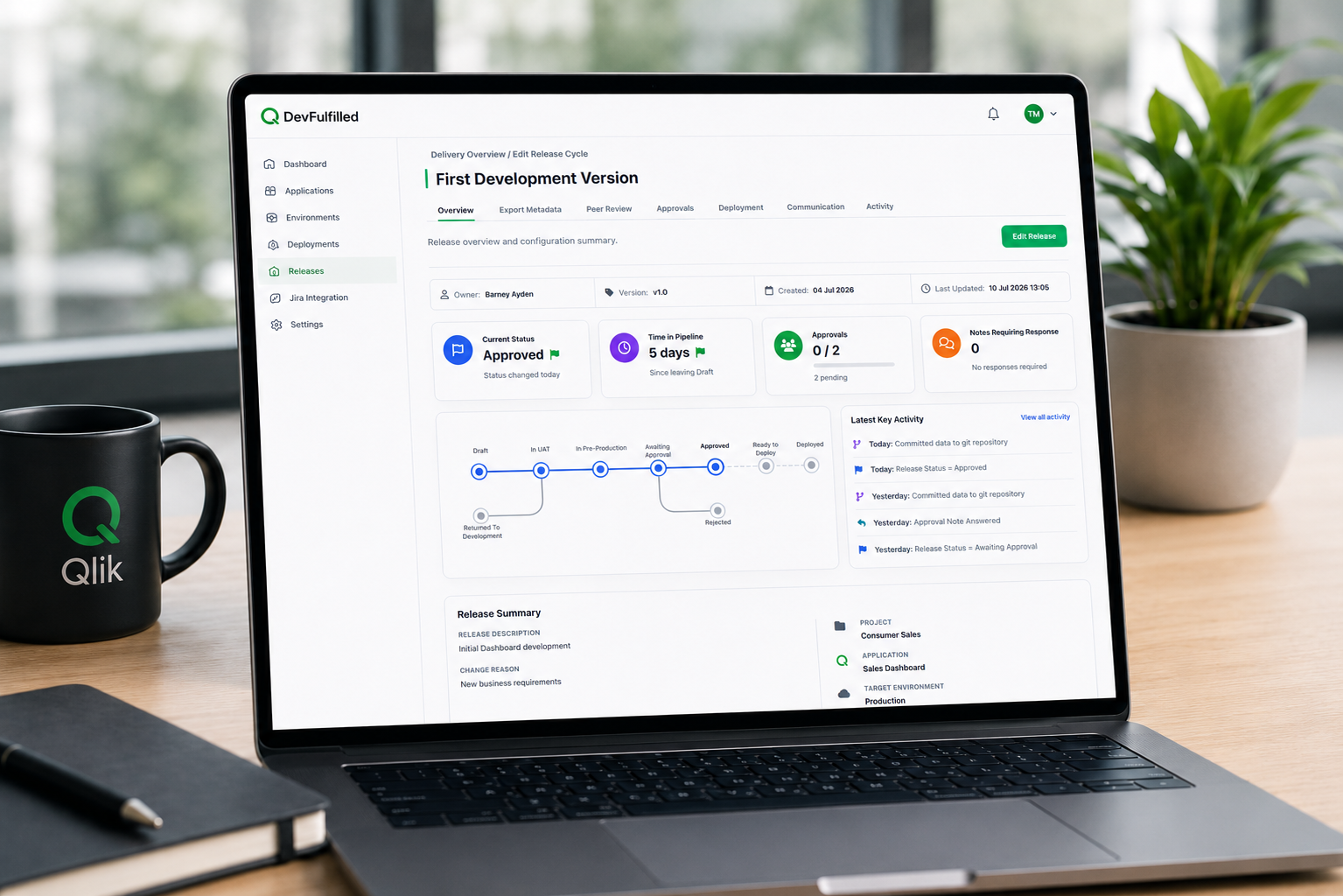
DevFulfilled brings the main release activities together in one workspace built specifically for Qlik Sense teams.
Teams can create structured release cycles, connect Qlik applications, export application metadata directly to GitHub, perform AI-powered peer reviews and coordinate approval workflows before deployment.
Each activity contributes to the release history, providing clear visibility from completed development through to production.
The objective is not to introduce unnecessary administration. It is to replace disconnected manual processes with a practical workflow that helps teams deliver changes with confidence.
Conclusion
Effective Qlik Sense release management is not about adding process for its own sake. It is about making change visible, reviewable and repeatable.
A clear release scope, source-controlled metadata, meaningful peer review, coordinated approvals and a complete audit trail all reduce uncertainty around deployment.
The result is a release process that gives developers, testers and business stakeholders greater confidence in every change moving into production.
Frequently Asked Questions
Does every Qlik change need a formal release?
Every production change should be traceable, but the amount of process should reflect the size and risk of the change. A minor correction may need a lightweight review, while a major data-model change may require extensive testing and several approvals.
Can Git be used with Qlik Sense applications?
The application itself is not stored in Git in the same way as a conventional software project. However, scripts, master items, variables and other application metadata can be exported into readable files and committed to GitHub.
Who should approve a Qlik release?
This depends on the application and organization. Common approval roles include the business owner, technical lead, tester, data owner and security representative.
Is AI peer review a replacement for human review?
No. AI can provide consistent analysis and identify patterns that deserve attention, but the final decision should remain with people who understand the application, data and business context.