Everything needed to move a Qlik change safely into production
DevFulfilled is not a collection of disconnected utilities. Each feature contributes to the same release journey, giving developers, testers, product owners and approvers a shared view of what is changing and whether it is ready to deploy.
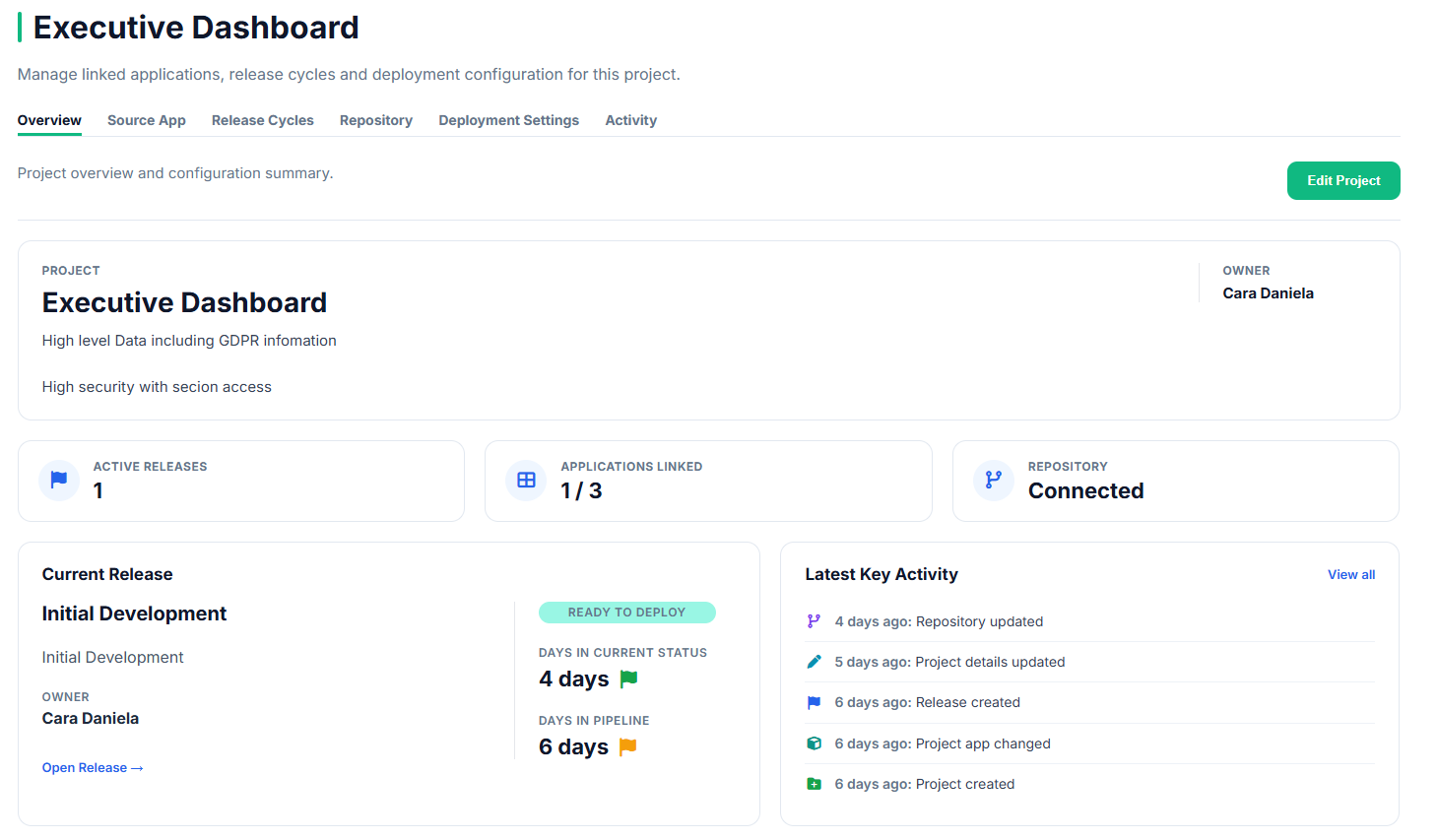
Give every change a clear home
Create a structured release cycle for each stream of Qlik development. Define its purpose, scope, owner and version before the work moves into testing.
Everyone can see the current status, recent activity and next step without piecing information together from Jira, email and Teams.
- One active release cycle per project
- Clear release scope, owner and version
- Visible status and pipeline progress
- Complete activity history
Know exactly what changed — and why
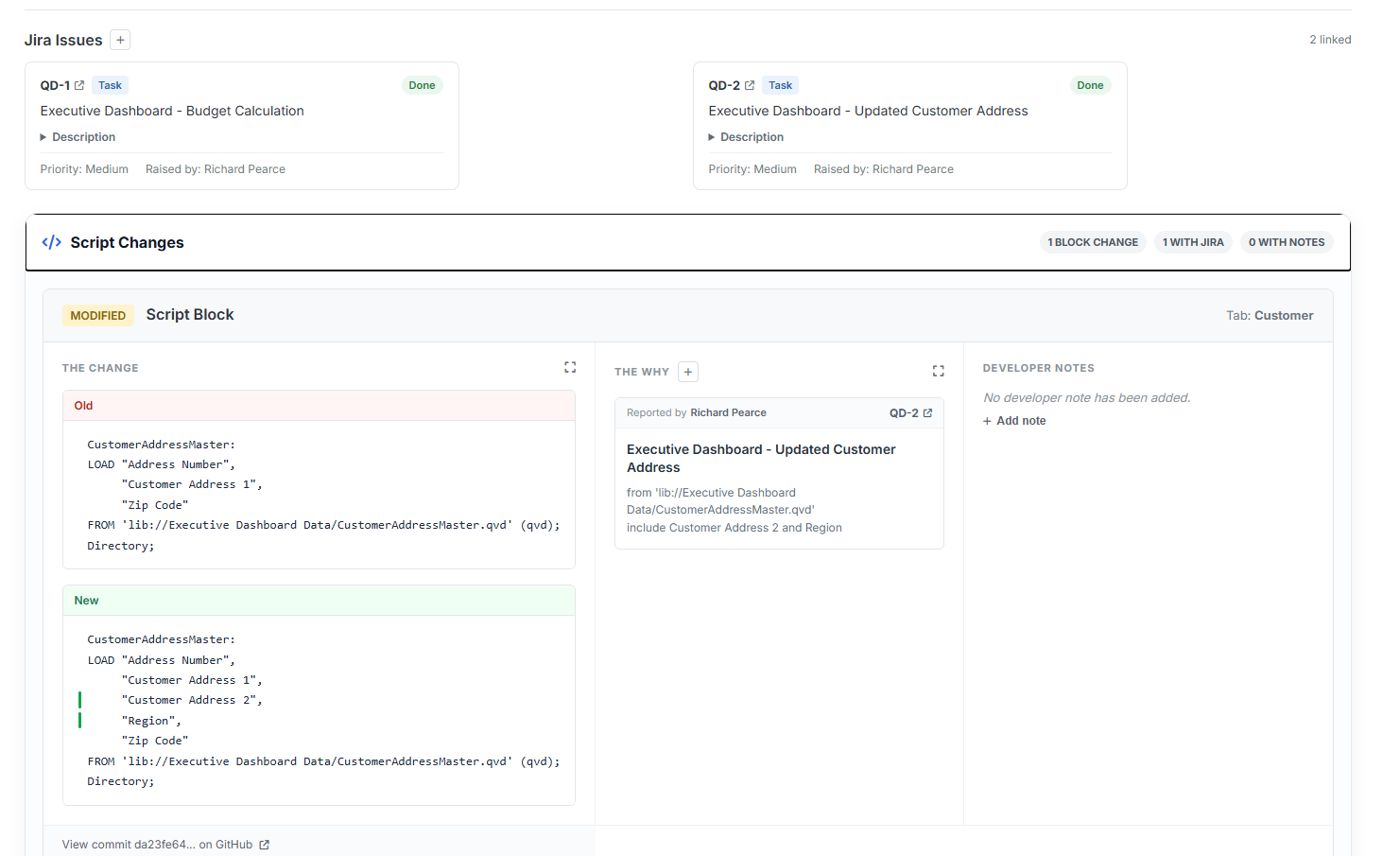
DevFulfilled captures readable Qlik application metadata in GitHub, creating a version history that can be compared between releases. Instead of simply knowing that an application changed, developers can see the actual script and master-item changes that make up the release.
Change Review then adds the context behind those differences. Link Jira tickets directly to individual changes and add developer notes to explain decisions, implementation details or anything reviewers need to know.
- Compare Qlik changes between releases
- See added, modified and removed application content
- Link Jira tickets directly to individual changes
- Add developer notes and implementation context
- Maintain the underlying version history in GitHub
Finding what humans miss
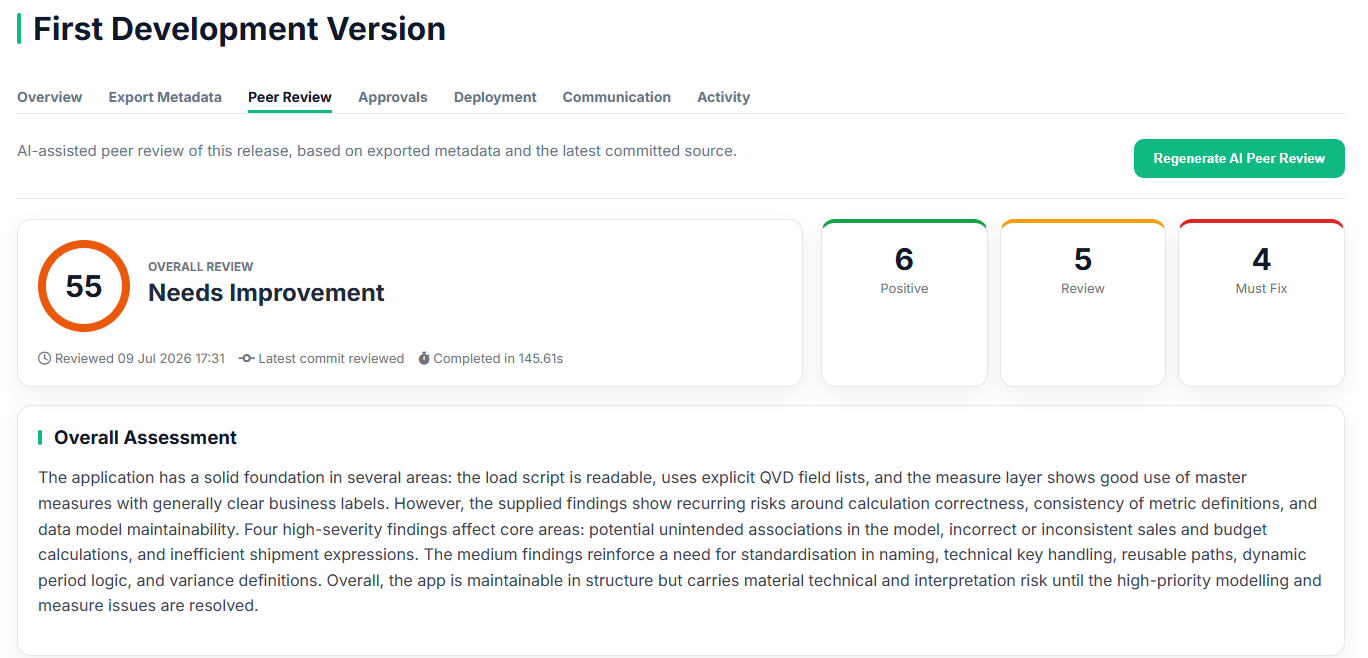
DevFulfilled uses multiple specialist AI review stages to examine different aspects of the Qlik application build. Load scripts, measures, variables and dimensions are assessed independently before the findings are combined into an overall quality review.
Reviewers receive prioritised findings, practical next steps and positive observations, allowing experienced developers to spend less time searching and more time applying judgement.
- Specialist reviews for key application areas
- Prioritised risk and quality findings
- Practical improvement suggestions
- Clear summaries for technical and non-technical teams
Everyone signs off with confidence
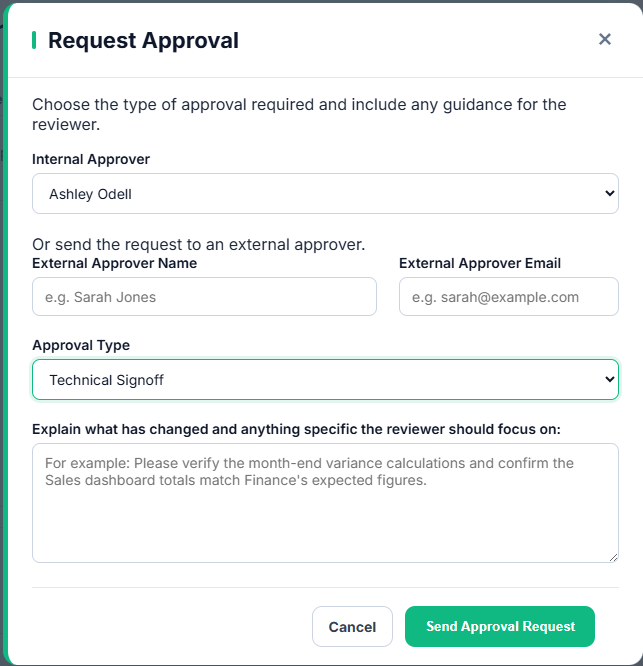
Request business, technical or security approval directly from the release. Internal users and external stakeholders can respond with clear decisions, supporting comments and follow-up questions.
Outstanding notes remain visible until they are resolved, while every response becomes part of the permanent release history.
- Internal and guest approval workflows
- Flexible approval types
- Outstanding questions and responses
- Traceable decisions and timestamps
See where every release stands
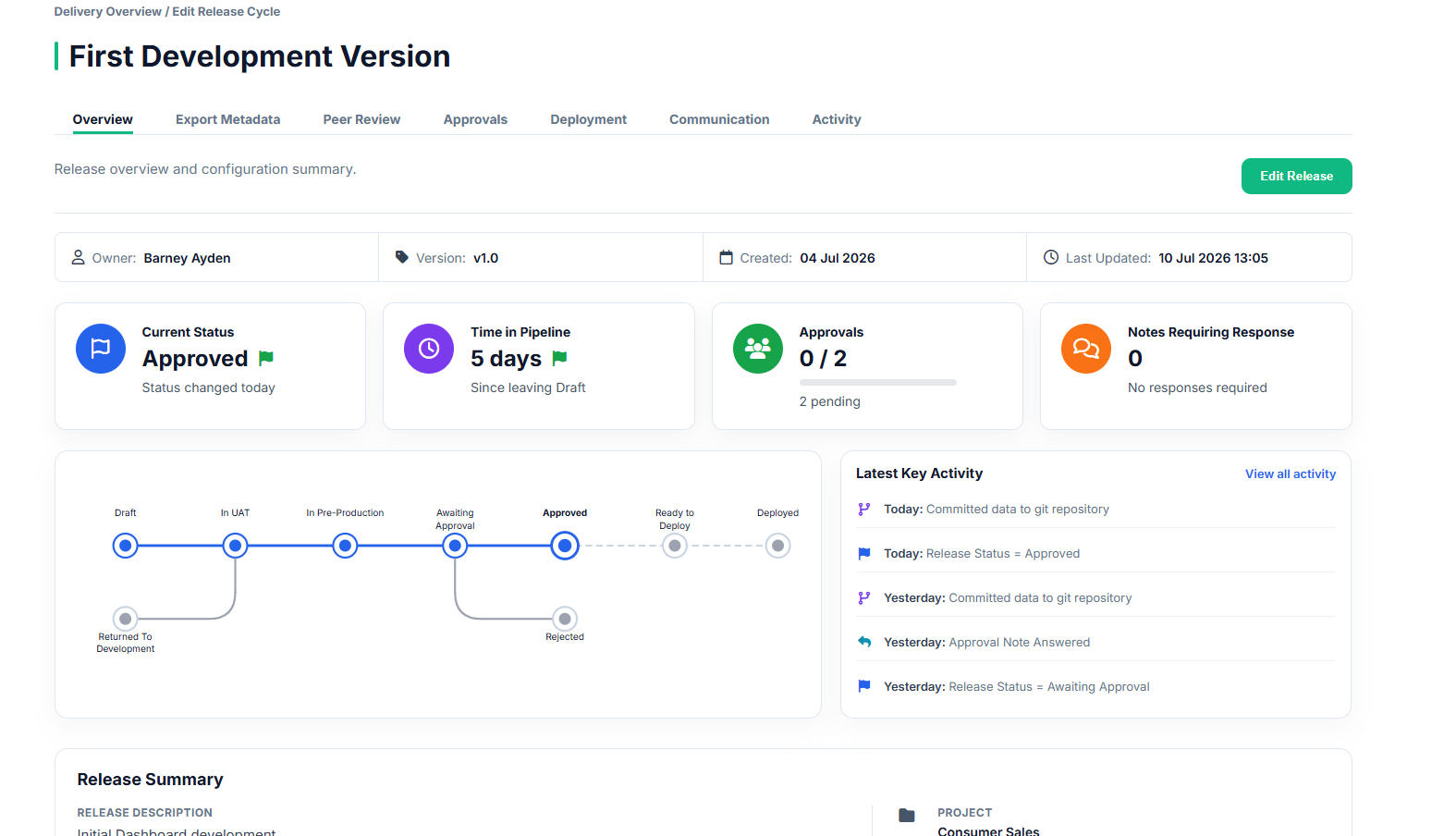
A visual release pipeline shows the current stage, how long the release has been there and how it has progressed from development through testing, approval and deployment.
Delivery teams can quickly identify delays, returned work and outstanding actions without asking for another status update.
- Visual release-stage tracking
- Days in the current status
- Pipeline age and health indicators
- Returned and rejected release paths
Replace status meetings with shared visibility
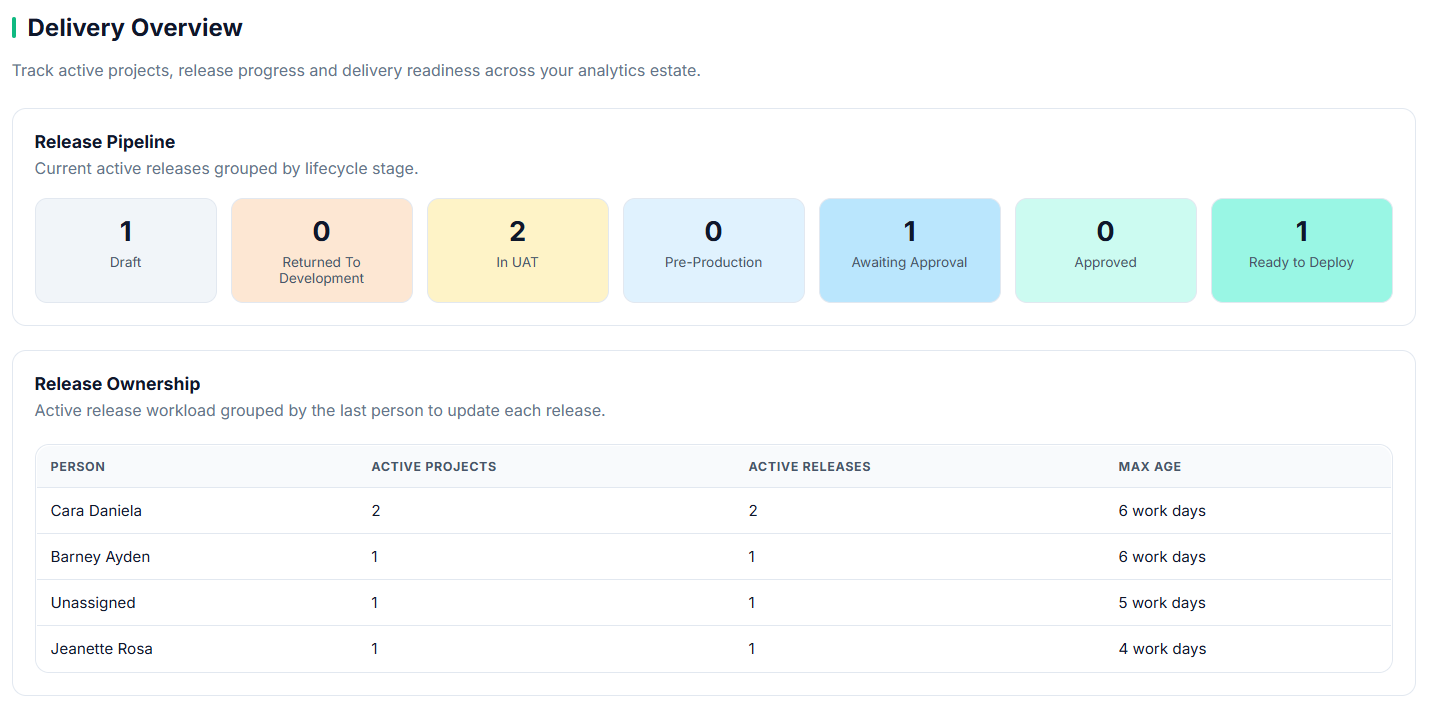
Project, release and delivery dashboards provide a concise view of work in progress, current risks and recent activity across the Qlik estate.
Product owners and delivery leaders can understand what needs attention without opening every individual project.
- Project and release summaries
- Current delivery position
- Recent activity and ownership
- Visible delays and outstanding work
The full story, recorded automatically
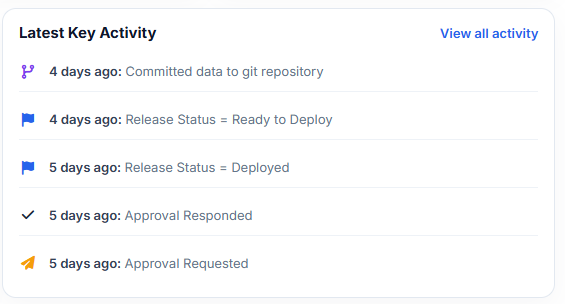
Important release activity is recorded as it happens. Status changes, metadata commits, approval requests, decisions and deployments remain available long after the release is complete.
When a question is raised later, the answer is held in the release record rather than somebody's memory.
- Automatic release activity history
- User, action and timestamp visibility
- Permanent records after deployment
- Stronger governance and audit readiness
The right access for every role
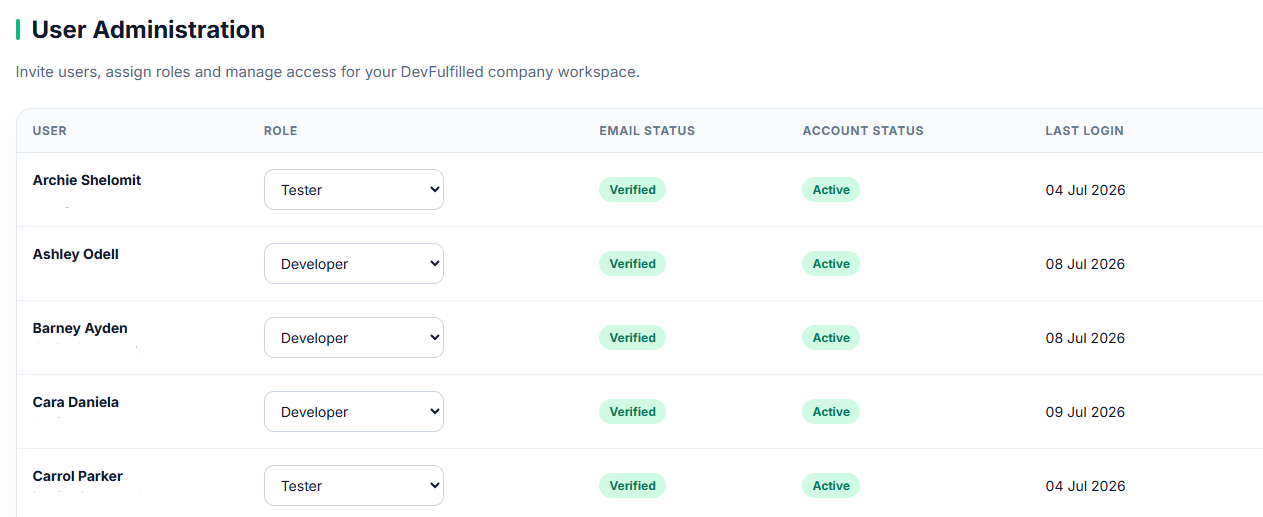
DevFulfilled separates company data and provides role-based access for administrators, developers, testers and viewers.
Sensitive integration credentials are protected while each user sees the actions and information appropriate to their role.
- Company-level data separation
- Role-based permissions
- Encrypted integration credentials
- Controlled project and release actions
Built around the way Qlik teams deliver
DevFulfilled was not adapted from a generic project-management platform. It was designed around the real journey a Qlik application takes after development is complete.
Release management, metadata version control, AI peer review, approvals and deployment visibility all contribute to one connected process.
Traditional Process
- Scattered email and Teams messages
- Manual or skipped peer reviews
- Binary application history
- Separate approval records
- “Has Git been updated?”
- Audit evidence assembled later
With DevFulfilled
- One connected release workspace
- AI-assisted quality review
- Readable metadata in GitHub
- Integrated approval workflow
- Visible commit status
- Automatic release history