See How Your Qlik Estate Fits Together
Qlik Lineage Explorer brings together application, data source, field and master measure information collected by DevFulfilled and presents it in a searchable Qlik application. It gives development and governance teams a clearer view of where data originates, how fields are represented inside Qlik and where calculations are being reused.
Instead of inspecting applications one at a time, you can explore lineage and metadata across the wider Qlik environment — helping you understand dependencies, investigate shared data and find the applications that could be affected by a change.
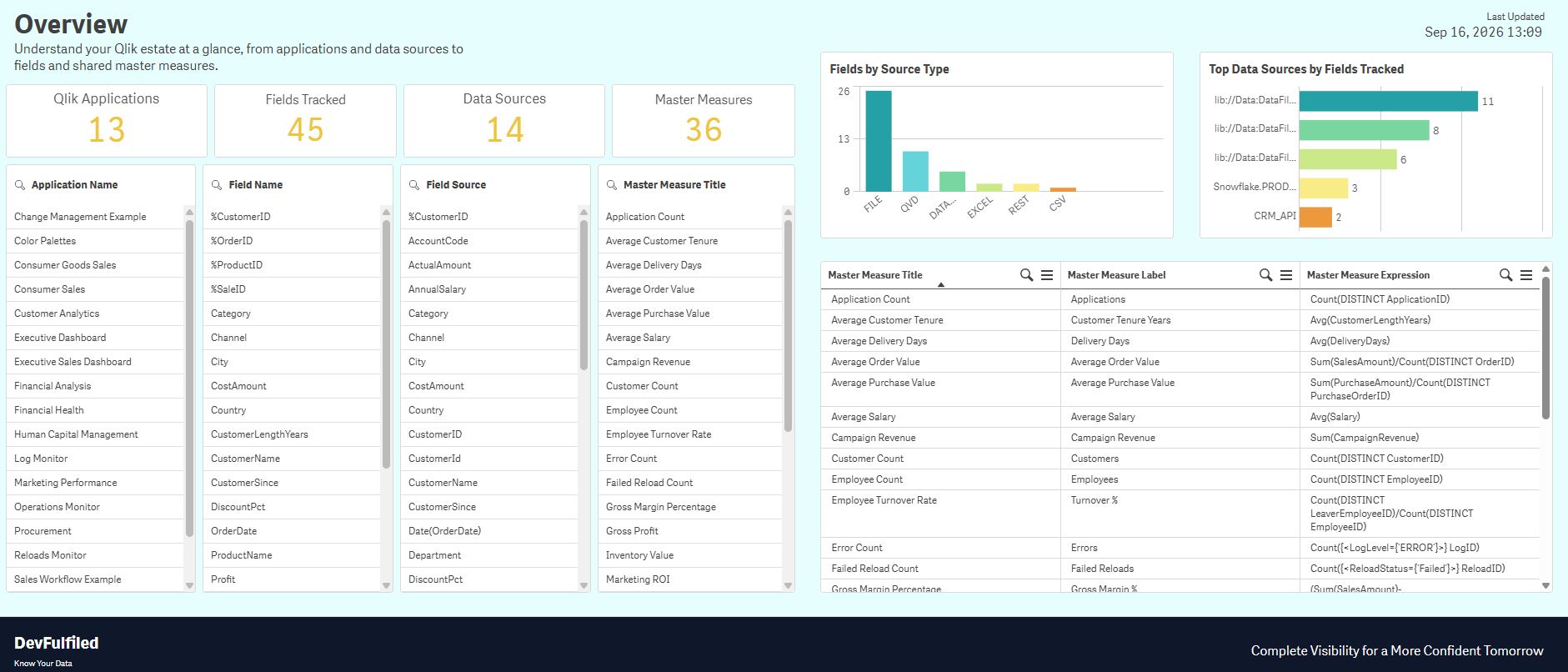
What You Can Explore
Qlik Applications
Get a high-level view of the applications tracked by DevFulfilled across your Qlik environment.
Field-Level Lineage
Explore where fields originate, their original and aliased names, and how they are represented in Qlik.
Data Sources
See the files, QVDs, databases and other sources supplying data to applications across your estate.
Field Usage
Identify where fields are used in measures and dimensions to better understand downstream dependencies.
Master Measures
Search measure expressions, descriptions and tags and see where the same measures appear across applications.
Estate-Wide Discovery
Search across applications instead of inspecting them individually when investigating fields, sources or calculations.
Download Qlik Lineage Explorer
Download the QVF, import it into Qlik Cloud and connect it to your company using the DevFulfilled Public API. Full setup instructions are included in the application's load script.
Quick Setup
The application does not contain a DevFulfilled API key or Qlik REST connection. Each user connects the downloaded application securely to their own DevFulfilled company.
Create a Public API key from Company Settings > API Access in DevFulfilled.
Create the DevFulfilled Public API REST connection in the Qlik Cloud space containing the app.
Update the LIB CONNECT statement in the load script to reference your Qlik space.
Reload to retrieve the lineage and metadata available to your DevFulfilled company.