Introduction
Version control has transformed the way software teams build, review and release applications. Developers can compare changes, recover earlier versions and understand how a codebase has evolved over time.
Qlik Sense has never fitted neatly into that model. A Qlik application is stored as a single binary file rather than a collection of readable source files. GitHub can store that file, but it cannot look inside it and explain which script statement, measure, dimension or variable changed.
This does not mean meaningful version control is impossible. It means Qlik teams need an approach that works with the way Qlik applications are built, rather than forcing them into a traditional software-development model.
Why Version Control Is Difficult in Qlik Sense
Git is designed to compare text. In a conventional software project, it can show exactly which lines were added, removed or changed.
A Qlik application is different. The complete application is held in a single binary file. When that file changes, Git can identify that the file is different, but it cannot explain what changed inside it.
It cannot tell you that a master measure was updated, a variable was removed, a load-script section was rewritten or an object-level expression was altered.
Storing a binary Qlik application in Git may provide another copy of the file, but it does not provide meaningful change visibility. Version control should help a team understand what changed, not simply confirm that something changed.
Traditional Qlik Version-Control Workarounds
Over the years, many Qlik developers have created their own workarounds. One common approach is to
write the application load script in a separate text file and bring it into Qlik with an
$(Include) statement.
Because the external file contains plain text, it can be committed to Git and compared with earlier versions.
A similar technique can be used for expressions. Calculations can be loaded through the script into variables, allowing the underlying expression text to be stored outside the application.
These approaches are understandable. They make important parts of the application visible to source control. However, they also introduce a significant trade-off.
Why These Workarounds Fall Short
Moving scripts and expressions outside the application can make Qlik development more complicated.
Instead of opening a chart expression and inspecting it directly, a developer may need to identify the variable being used, trace that variable back to the load script, locate the external source file, make the change, reload the application and then return to the visualisation to confirm the result.
The application has effectively been redesigned around the needs of Git rather than around the people developing and maintaining it.
External files can still be useful where they genuinely improve reuse or maintainability. The problem begins when they are introduced primarily to compensate for the Qlik application's binary format.
Version control should simplify development and improve visibility. If the solution makes every everyday change harder to understand, the team may be optimising the application for the repository rather than for its users and developers.
What About Branching and Merging?
Traditional software version control is often discussed in terms of branches, pull requests and merging parallel changes.
That is not necessarily the biggest issue for modern Qlik Cloud teams. Multiple developers can work within the same application, and the platform provides visibility of recent activity and application changes.
Teams still need sensible coordination, but recreating a complete software-style branch-and-merge workflow is not always the most valuable objective.
The more important question is often:
What changed between this release and the one that came before it?
The Real Version-Control Problem
Most Qlik teams do not simply need another copy of the application. They need a reliable history that explains how the application evolved across releases.
When looking at an earlier release, the team should be able to understand:
- What the release was intended to deliver.
- Which application metadata belonged to that release.
- When the metadata was exported and committed.
- Which Git commit represents the reviewed version.
- Whether peer review was completed against that commit.
- Which approvals were recorded before deployment.
- When the release moved into production.
Git contributes to that history, but Git alone does not tell the complete release story.
Metadata-Based Version Control
A more practical approach is to leave the Qlik application easy to develop while exporting its important metadata into readable files.
Once exported, that metadata can be committed to GitHub and compared like conventional source code. Developers can inspect individual changes without forcing every script and expression to live outside the application.
This creates a bridge between Qlik's application model and Git's strengths as a text-based version-control system.
What Qlik Metadata Should Be Versioned?
A useful version-controlled snapshot should include the parts of the application that explain how data is loaded, transformed and presented.
- The complete load script.
- Master measures and their expressions.
- Master dimensions.
- Application variables.
- Object-level measures and expressions.
- Object-level dimensions.
- A summary of the exported application metadata.
Together, these files provide a readable representation of the application at a specific point in time.
From Git History to Release Traceability
A Git commit becomes considerably more useful when it is linked to a specific release.
Instead of looking through repository history and trying to infer which commit belongs to which deployment, the release itself can retain that relationship.
When viewing a project's previous releases, teams gain a much richer picture of what changed and when. They can see the release purpose, status history, metadata commit, peer review, approvals and eventual deployment in one place.
This also removes one of the most common conversations during a release:
“Have you updated Git?”
The answer is visible within the release workflow. Everyone can see when the metadata was committed and whether subsequent review and approval activities relate to that version.
Qlik Sense Version-Control Best Practices
- Keep Qlik applications straightforward to develop and maintain.
- Export metadata rather than redesigning every expression around source control.
- Commit metadata before formal peer review begins.
- Use clear commit messages that reference the release.
- Link each release to the exact commit being reviewed.
- Re-export and recommit metadata when material changes are made.
- Confirm that approval relates to the latest committed version.
- Preserve previous releases so the application history remains easy to understand.
- Treat Git as part of release traceability, not as a replacement for application backups.
How DevFulfilled Helps
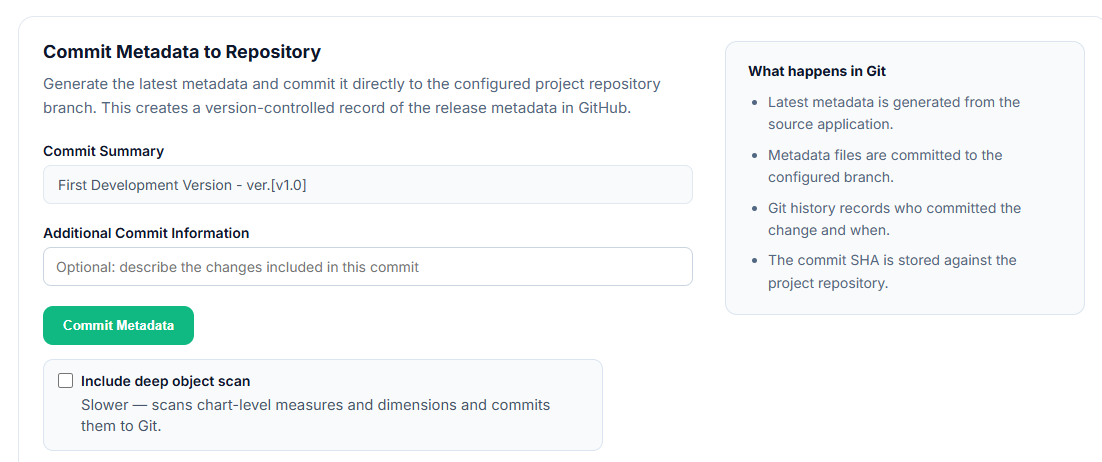
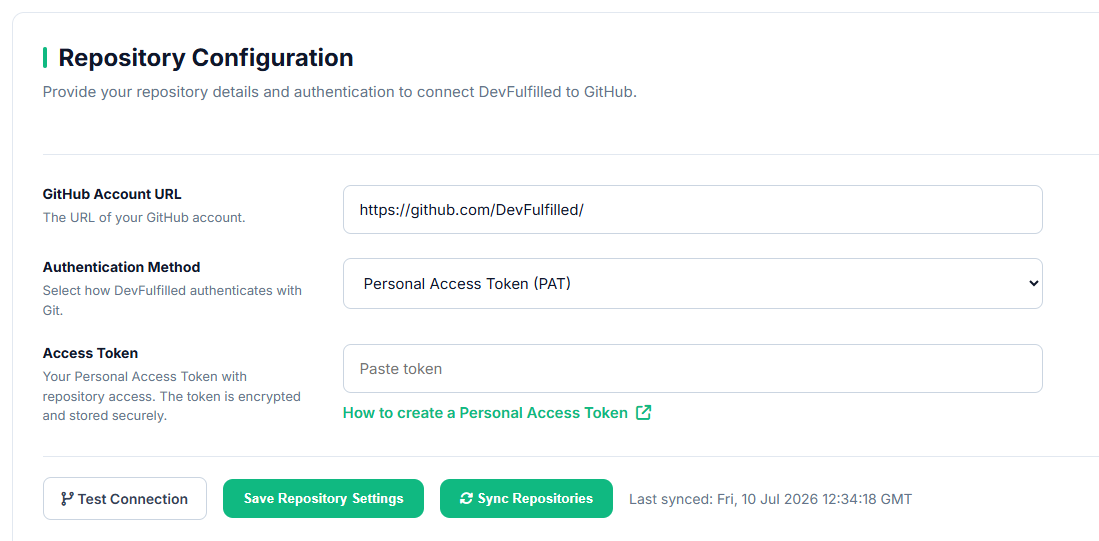
DevFulfilled connects directly to Qlik Sense Cloud, extracts the application metadata and commits readable files to the project's GitHub repository.
Developers do not need to move every expression into a variable or maintain a parallel collection of source files simply to make the application visible to Git.
The commit is then linked directly to the release cycle. From the release workspace, the team can see when metadata was exported, whether the committed version has been peer reviewed and how the release has progressed through testing, approval and deployment.
Previous releases remain visible at project level, creating a clear history of what changed, when it changed and how each version moved into production.
This means DevFulfilled provides more than a Git integration. It turns application metadata, repository history and release activity into one connected audit trail.
- Export Qlik application metadata directly from the release.
- Commit structured, readable files to GitHub.
- Link each commit to a specific release cycle.
- Show when Git was last updated without relying on team messages.
- Run AI peer review against the committed metadata.
- Retain a complete history across previous releases.
A commit should represent a stable review point. If important changes are made after the commit, export the metadata again so testing and approval are never tied to an outdated version.
Conclusion
Qlik Sense has never lent itself naturally to traditional version control because its application format is fundamentally different from a conventional source-code project.
Workarounds such as external load scripts and variable-driven expressions can make more content visible to Git, but they may also make everyday development harder.
Metadata-based version control offers a more balanced approach. It keeps the application straightforward to work with while creating readable snapshots that Git can compare.
The greatest value appears when those snapshots are connected to the release process. Teams gain not only a Git history, but a clear view of which version was reviewed, approved and ultimately deployed.
Frequently Asked Questions
Can GitHub store a Qlik Sense application?
GitHub can store the application's binary file, but it cannot inspect the file and show meaningful line-by-line changes. Exported metadata provides a readable history that Git can compare.
Should Qlik load scripts be held in external files?
External files can be useful for reuse and maintainability, but they should not be introduced solely to make Git work. The additional indirection can make applications harder to understand and change.
Does Qlik Cloud remove the need for version control?
No. SaaS collaboration helps multiple people work on an application and provides visibility of recent activity. Version control still provides a durable history of application metadata across releases.
Is branching and merging required for every Qlik team?
Not necessarily. For many Qlik Cloud teams, the greater need is reliable release traceability rather than recreating a complete software-style branching model.
How often should Qlik metadata be committed?
Commit metadata whenever a stable review point is reached, particularly before peer review, formal testing or approval. Material changes made afterwards should result in a new export and commit.
Does Git replace Qlik application backups?
No. Git metadata supports comparison, review and traceability. Application backups serve a different purpose and should remain part of the wider continuity and recovery process.